 Reckless Technology
Reckless Cab
v0.21A guitar speaker cabinet from an impulse response, with no latency: load a cabinet recording, design one in the Cabinet Maker, or capture your own through your interface.

The Cabinet Maker
Design a cabinet instead of loading one: nine groups of small knobs, one per feature of a speaker's response - resonance, body, scoop, presence, edge, break-up, air, ripple and length - with the graph redrawn as you turn them.

IR Capture
Capture your own cabinet: the Cab plays a sweep out through your interface to a power amp and speaker, records it back through a microphone, and turns the recording into an impulse response.

From the user guide
Loading a response
Put the Cab after an amp or preamp and before any reverb. Until you load a file it plays a synthesised cabinet.
Click the IMPULSE RESPONSE plate to browse, or drop a file anywhere on the panel. Any WAV, BWF, AIFF, FLAC, Ogg, MP3 or .wir file works, mono or stereo, at any sample rate; the first 200 ms are used. Every response is levelled to the same loudness, and a new one fades in over 50 ms.

The graph shows the file in a faint line and what you hear, shelves included, in amber. The session keeps the response itself, not just its path.

Cabinet Maker
CABINET MAKER opens a drawer of small knobs, one group per feature: Resonance, Body, Scoop, Presence, Edge, Break-up, Air, Ripple and Length. The graph redraws as you turn them.

CABRACADABRA rolls a whole new cabinet at random; its seed shows on the button. Right-click it to type a seed (1 to 9999). RESET brings back the built-in cabinet. SAVE IR… writes a WAV. Loading a file keeps your recipe; turn a drawer knob to return to it.
Capturing a real cabinet
- Press CAPTURE under the plate. Patch TO AMP into a clean power amp driving the cabinet, and a microphone back into FROM MIC. While this drawer is open the cabinet is silent, so the microphone cannot feed back through the amp, even with the input unmuted.
- Start with LEVEL low and press TONE: a steady 440 Hz plays through the amp at LEVEL. Set the amp's volume and the mic's gain until the FROM MIC meter reads well but never hits the top, then turn TONE off.
- Press CAPTURE in the drawer and keep the room quiet for the 10-second sweep and the second after it; the host must be processing audio.
- When the sweep ends the result takes the cabinet's place: close the drawer to hear it. KEEP saves it with the session; DISCARD returns to what played before.
- EXPORT IR… writes it as a WAV for other loaders.

Controls
| Close-up | Control | Range | Default | What it does |
|---|---|---|---|---|
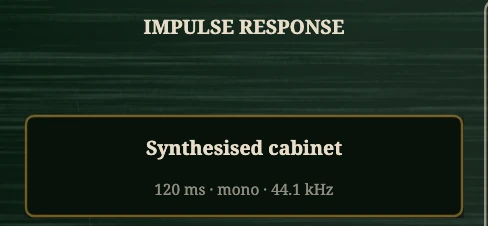 | Impulse response | WAV / BWF / AIFF / FLAC / Ogg / MP3 / .wir | Built-in cabinet (seed 4133) | The cabinet; click to browse or drop a file. |
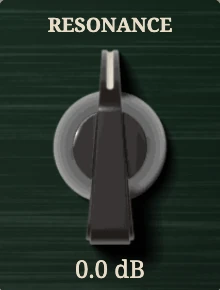 | Resonance | −12 to +12 dB | 0 dB | Shelf from 200 Hz down: tighten a boomy cabinet or add bottom. |
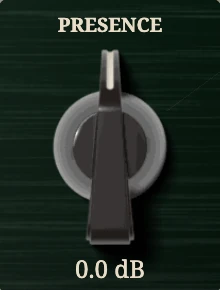 | Presence | −12 to +12 dB | 0 dB | Shelf from 2 kHz up: tame a bright response or open a dark one. |
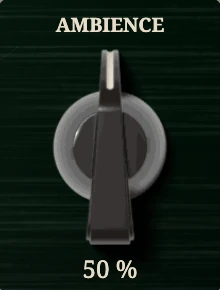 | Ambience | 0 to 100 % | 50 % | A live room’s early reflections; stereo even from a mono cabinet. |
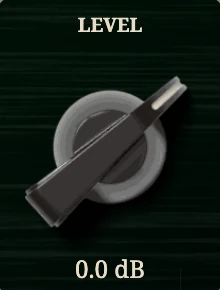 | Level | −24 to +12 dB | 0 dB | Output trim after the shelves. |
 | TO AMP / FROM MIC | Output 1 or 2 / Input 1 or 2 | The capture’s output and input channels. | |
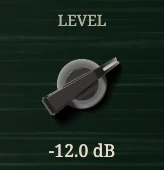 | LEVEL (capture) | −40 to 0 dBFS | −12 dBFS | The test sweep’s level. |
 | FORMAT / RATE | 16, 20, 24, 32-bit PCM or 32-bit float / session, 44.1, 48, 88.2, 96 kHz | The exported WAV’s format and rate. |
Reset to defaults brings back the built-in cabinet and every control; the drawer’s RESET brings back the built-in cabinet alone, leaving the knobs where they are.
Tips
- No files? Start from the built-in cabinet, move Presence and Break-up, roll a few seeds, save what you like.
- Room files keep only their first 200 ms; for a hall, use a reverb.
- Stereo responses give each channel its own; a mono track into a stereo instance feeds both.